Your signatures for
Your whole company.All your subsidiaries.All your campaigns.Your whole company.
Create, deploy and schedule the signatures of your entire company in a few clicks, in complete security.
- CELANEO
- TERRES DE CAFÉ
- OH BABY
- SINGULIER
- PROGRAM STORE
- MEDIA IN YOUR HANDS
The product, in three screens.
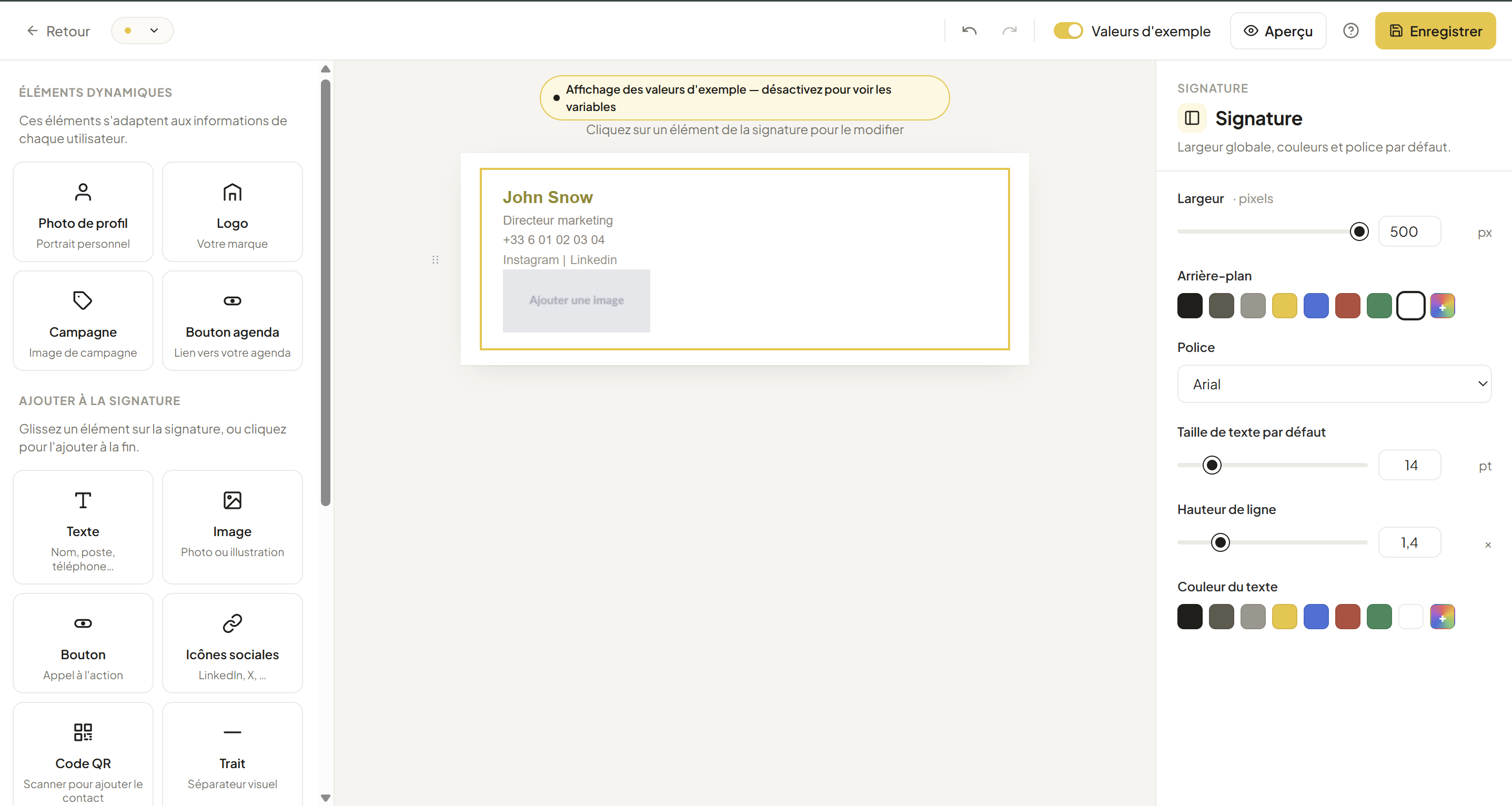
Screenshot of the signature editor
public/screenshots/editor.png 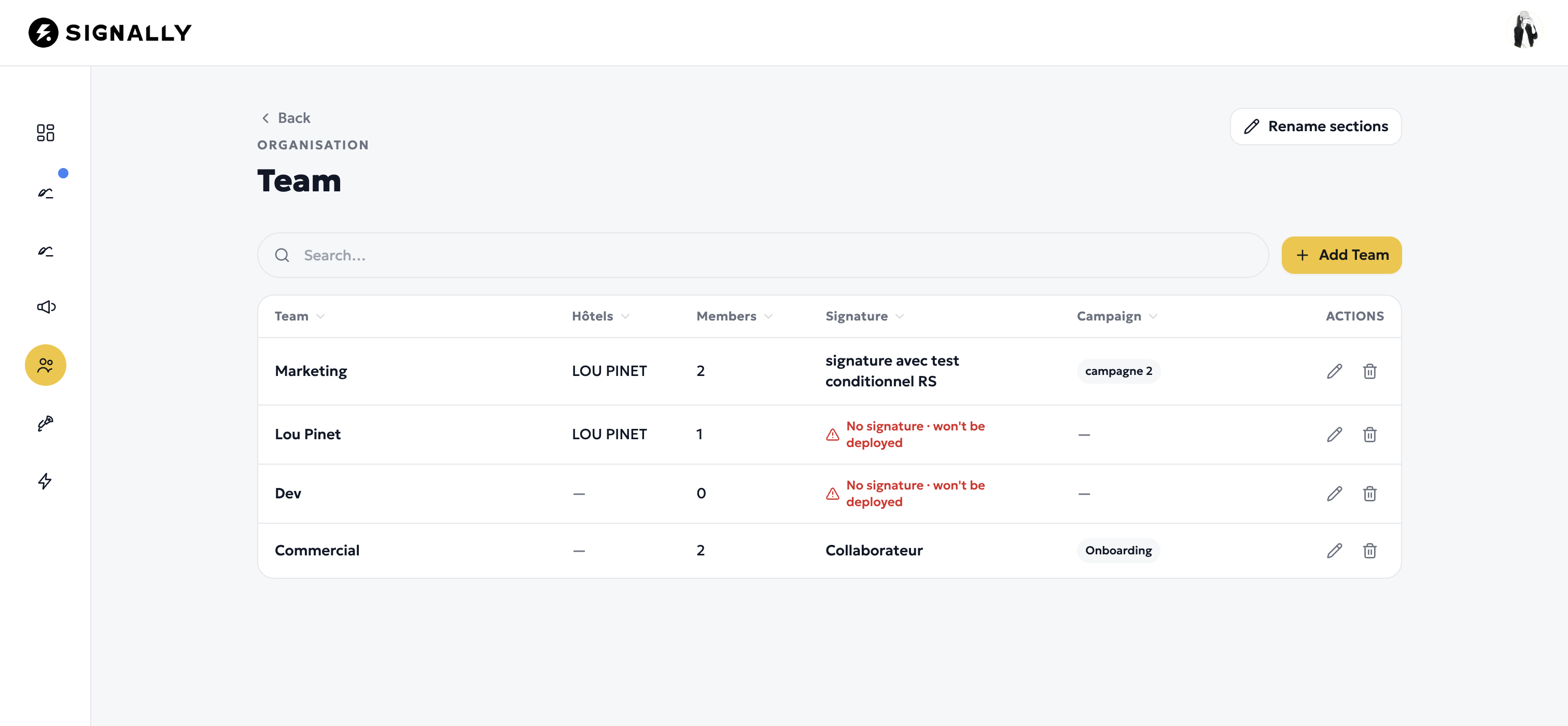
Screenshot of team and employee management
public/screenshots/teams.png 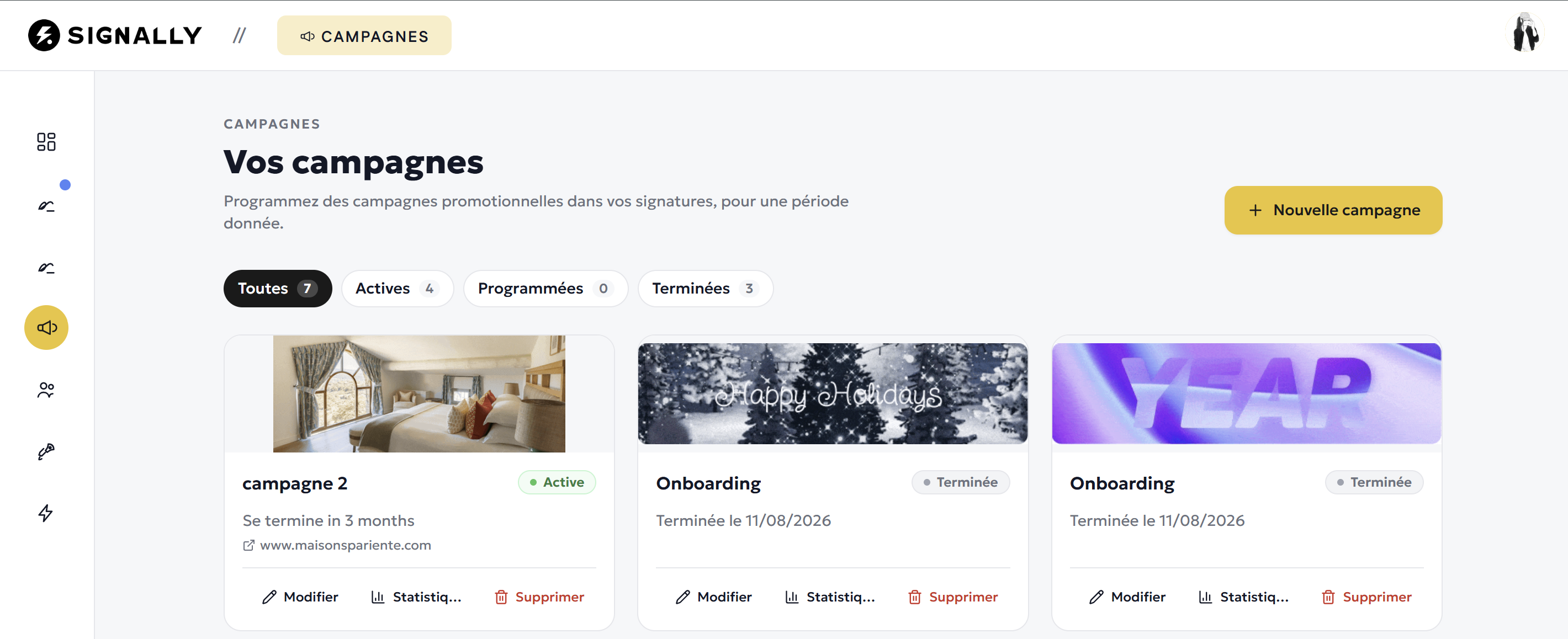
Screenshot of the campaign schedule
public/screenshots/campaigns.png You compose the template and Signally generates a signature in HTML that works on your desktops, your phones and your tablets.
Every group and sub-group gets its signature, deployed automatically. Syncing happens straight from your company directory.
Schedule your communication banners in advance: they roll out to every employee to the minute.
Changing the signature of 200 employees takes weeks. Or five minutes.
 WITHOUT SIGNALLY WITH SIGNALLY
 Create, deploy, schedule.
One change in the signature, everyone is up to date instantly.
Our Microsoft and Google add-ins apply the signature to every employee, with no action on their part.
A visual editor and locked templates
Identical rendering on Outlook, Gmail and mobile. The administrator decides what stays untouchable.
The editor →Scheduled banners, targeted by team
The campaign starts and stops on its own. Clicks are attributed by team.
Campaigns →Your outgoing email, an untapped communication channel.
Make it your first media channel.
A company of 100 people sends 300,000 emails a year. That many free advertising impressions.
- Animated, clickable, tracked banners
- Targeting by team, department or subsidiary
- Automatic start and stop
- Click statistics per campaign
Integration, without the project plan.
The add-ins install securely from your own admin console. No rerouting, no interruption.
Microsoft add-in
Central deployment from the Microsoft 365 admin center. The signature is inserted as the message is written, in Outlook Web, Windows, Mac and mobile.
How the Microsoft add-in works →Google add-on
Domain-wide installation from the Google admin console. Organisational units and directories stay in sync.
How the Google add-on works →Protecting your data is our priority.
Signally adds a signature. Nothing else.
Your IT department’s first question, answered in one sentence.
EU data residency
Directory and templates hosted on servers inside the European Union.
No email ever read
The add-in inserts a signature. It reads nothing else.
Nothing passes through us
No SMTP relay, no outbound connector.
Sent from your own account
Your messages leave from your Microsoft or Google tenant.
Every feature, from the very first user.
A single volume-based price, from €1.50 down to €0.50 excl. VAT per user per month. Drag the slider.
Detailed calculatorYou have questions, we have answers
How do I set up the same email signature for every employee?
Does Signally read the content of my emails?
Are my emails sent by Signally?
Where is Signally data hosted?
Can I create an email signature for free?
How much does Signally cost for 100 employees?
How long does deployment take in a company?
What is a banner campaign in an email signature?
Does the signature display correctly on Outlook, Gmail and mobile?
Can we have different signatures per subsidiary or per brand?
Get started with Signally
Create your signature online, free and without a credit card. Rolling it out to the whole company takes only a few minutes more.